Claude Desktop (Windows)
Claude Desktop registers MCP servers through claude_desktop_config.json. The catch on Windows: the app doesn't fully exit when you click X — you have to quit it from the system tray, otherwise it won't pick up the new config.
You need an environment with at least one IDP and one connector. See Start Here if you're not there yet. Grab the Claude Desktop snippet for your environment from the Admin Portal's Clients tab.
SETUP
Step 1 — Open Settings → Developer → Edit Config
Launch Claude Desktop and open Settings.
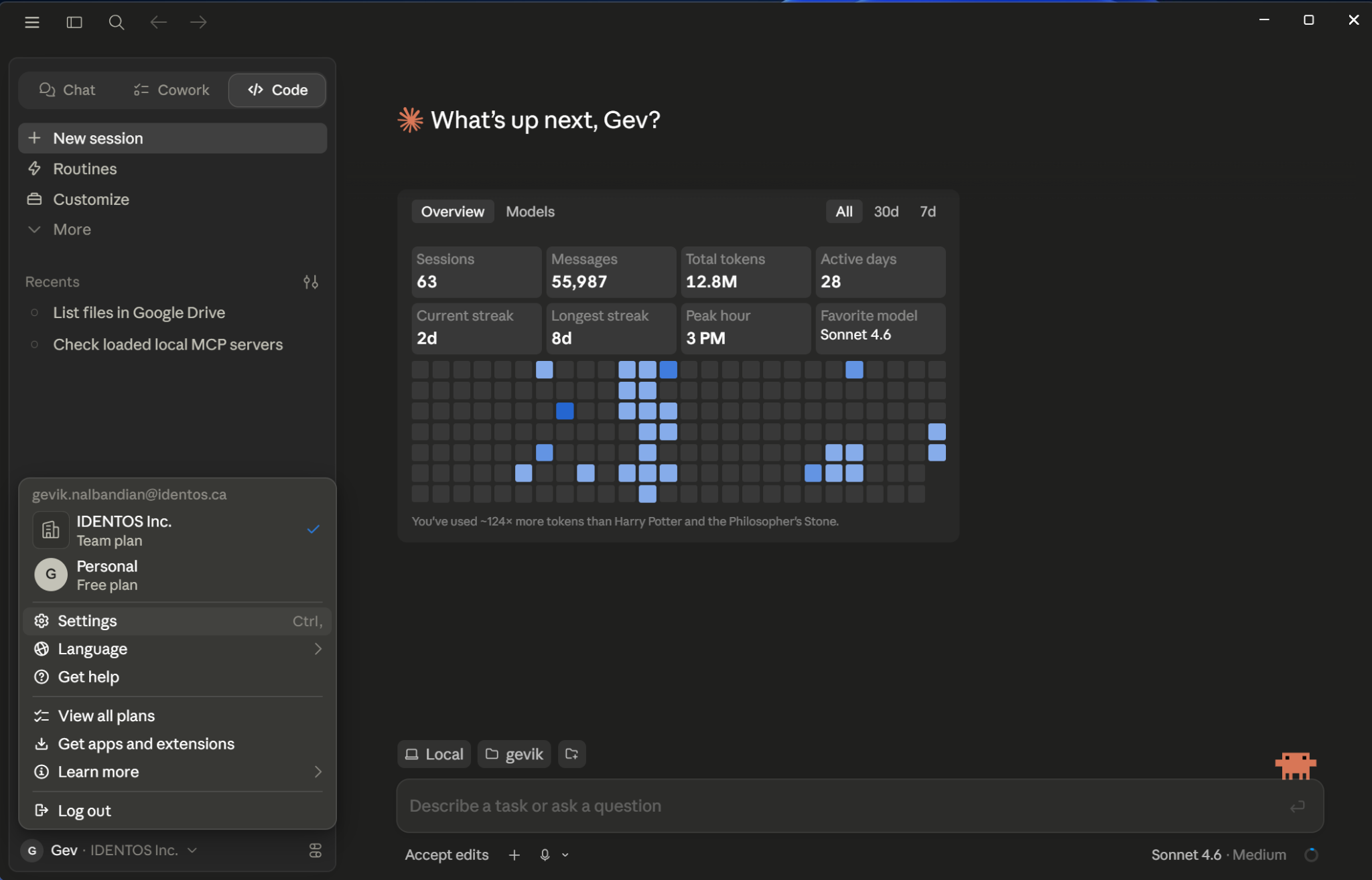
Click Developer, then Edit Config.
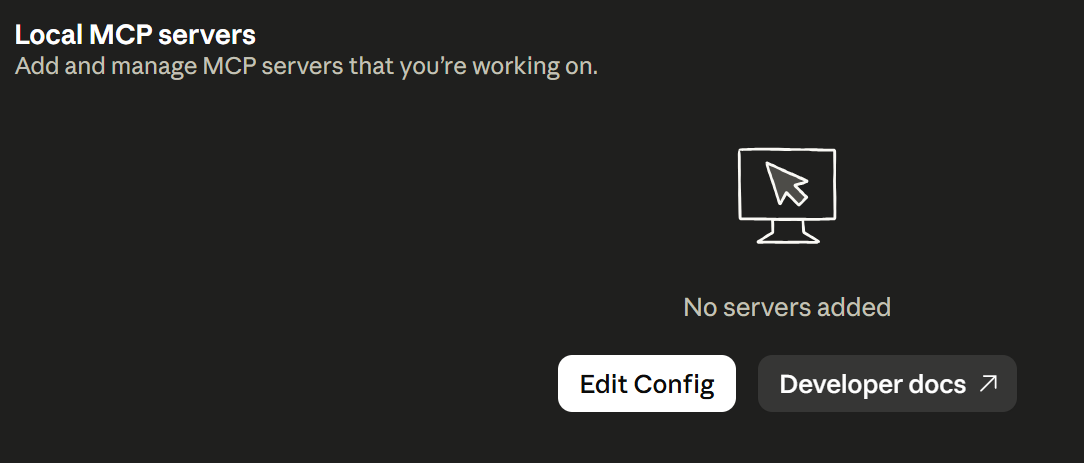
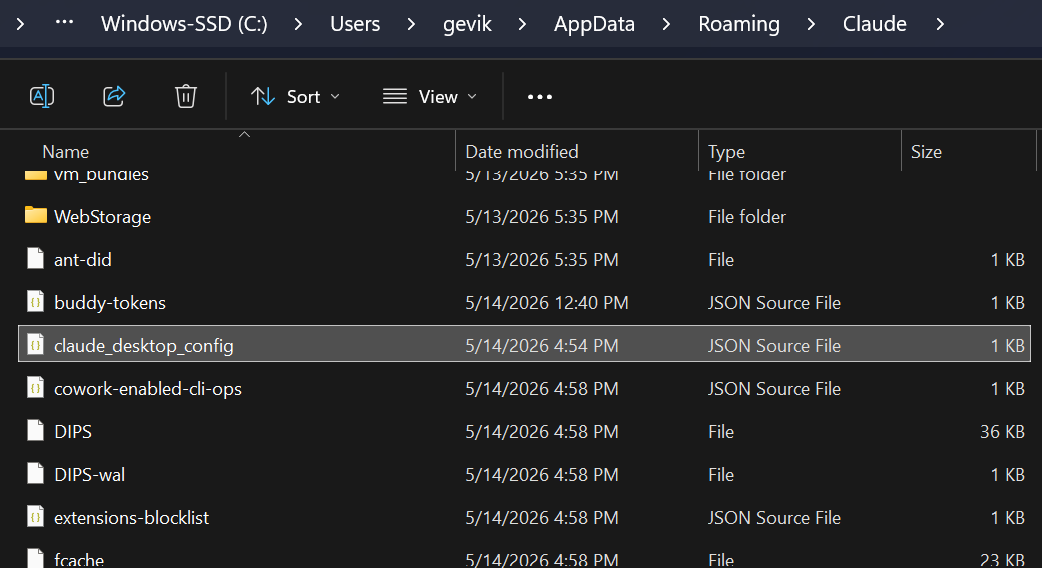
A File Explorer window opens to your %APPDATA%\Claude folder with claude_desktop_config.json auto-selected.
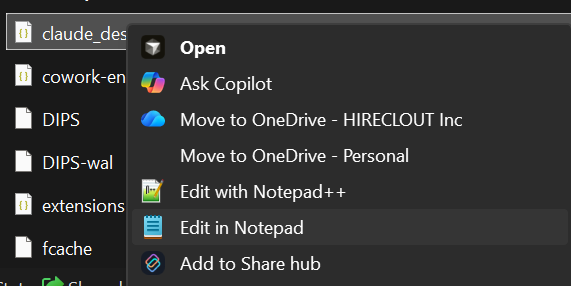
This is a JSON file, so you need a proper editor. If you don't already have a development IDE (Cursor, VS Code, etc.), Notepad is the safest option.
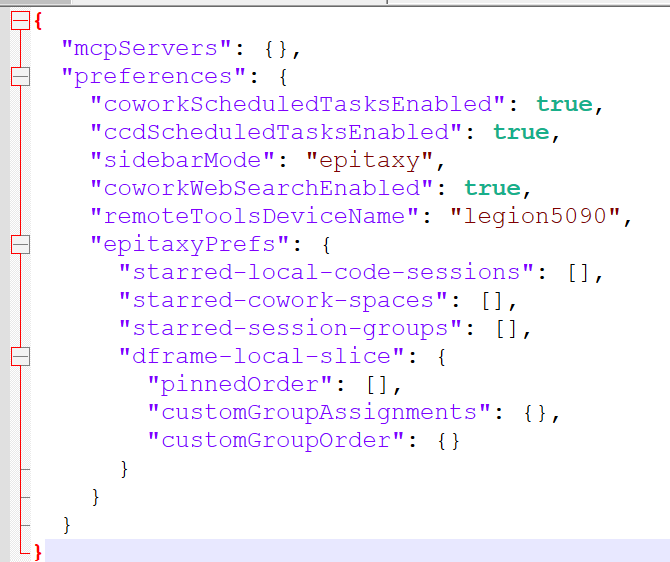
When opened, the default file looks like this:
Step 2 — Paste the PolicyArc snippet
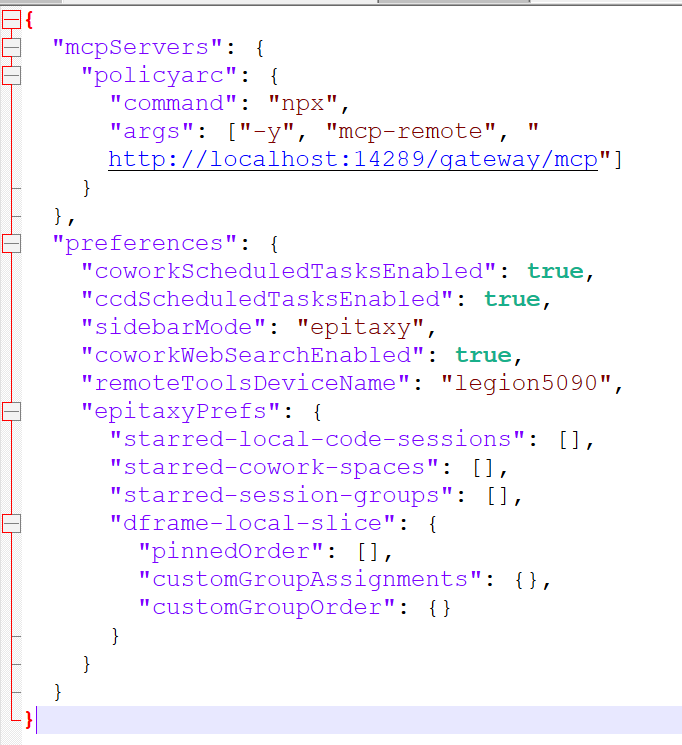
Inside the "mcpServers" block, replace "mcpServers": {} with:
"mcpServers": {
  "policyarc": {
    "command": "npx",
    "args": ["-y", "mcp-remote", "http://localhost:14289/gateway/mcp"]
  }
}
mcp-remote?Claude Desktop speaks MCP over stdio. PolicyArc's gateway speaks MCP over HTTP. The mcp-remote package is a small bridge that runs locally and translates between them. Your config tells Claude Desktop to launch it on demand.
The URL is unique to your environment — copy it from the Admin Portal's Clients tab. Your finished config should look like this:
Save the file. Keep the editor open in case you need to make changes later.
Step 3 — Fully restart Claude Desktop
This is the part that trips people up on Windows. Closing the Claude Desktop window only minimizes it — the app keeps running in the system tray.
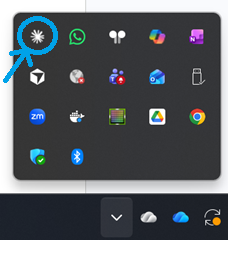
Open the system tray (the up-arrow next to the clock — not the icons on your taskbar) and right-click the Claude app. Select Quit.
Then re-launch Claude Desktop.
AUTHENTICATION
If the config is right, Claude Desktop launches the OAuth flow automatically in a new browser tab. Depending on your IDP, this may go through several steps. You'll ultimately see:

VIEW AVAILABLE TOOLS
In Claude Desktop, go to Settings → Connectors → Customize → policyarc MCP.
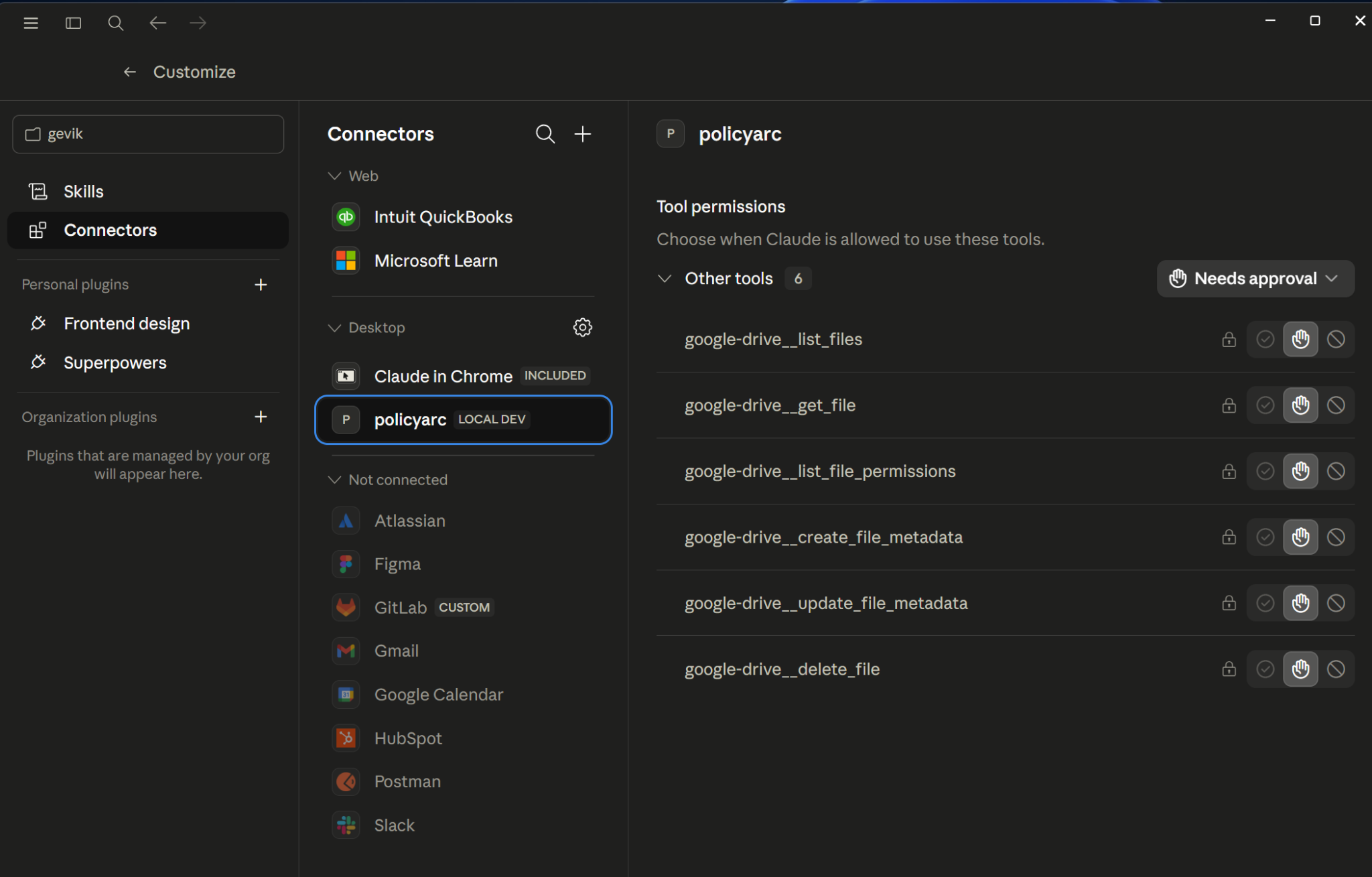
The list reflects the user's policy at this moment. As you change policy data, this list changes on the next session.
USING THE TOOLS
Ask Claude to do something that maps to one of the tools.
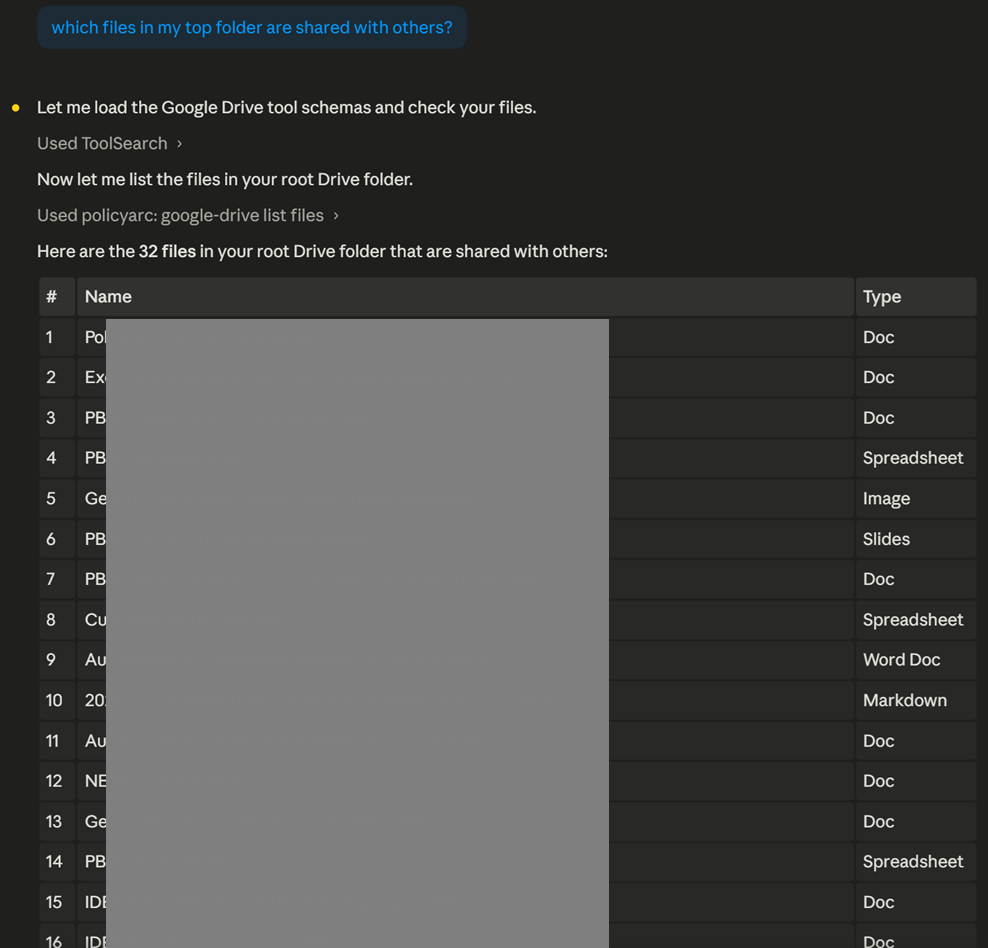
Every call lands an audit row in Admin → Audit Log.
Troubleshooting
- Claude Desktop doesn't seem to load the new config — you almost certainly didn't quit from the system tray. Open the tray, right-click Claude, choose Quit, then relaunch.
npxfails on first run — you need Node.js installed formcp-remoteto run. Install Node and restart Claude Desktop.- The OAuth tab opens but never returns — make sure no firewall is blocking the local callback port. The browser is talking to a server inside
mcp-remote, which is running on your machine.